
Choosing the right theme is an important part of building a WordPress website. The theme controls how the website looks, how the content is organized, and how users interact with the site. Because my website includes blog content while also representing a professional brand, I wanted a theme that was responsive, easy to customize, and visually clean. In this post, I explain where WordPress themes can be found, the files required in a WordPress theme, how I evaluated several themes using a decision matrix, and how I installed the theme I selected for my website.
Sources for WordPress Themes
WordPress themes can be found in several different places. One of the most common sources is the WordPress Theme Directory, which provides thousands of free themes that can be installed directly from the WordPress dashboard. These themes are reviewed for security and compatibility, making them a reliable option.
Themes can also be purchased or downloaded from third-party theme marketplaces such as ThemeForest or other developer websites. These themes often provide additional design features, customization options, and customer support, but it is important to review ratings, updates, and compatibility before installing them.
Another source for themes is hosting providers, such as Bluehost, which sometimes offer built-in themes designed for beginners or small business websites.
When selecting a theme, it is important to consider factors such as mobile responsiveness, customization options, speed, security updates, and compatibility with plugins. Choosing a theme that fits the purpose and design goals of the website is also important.
Required WordPress Theme Files
- style.css – Contains the main styling rules for the theme, including colors, fonts, layout design, and the theme header information used by WordPress to recognize the theme.
- index.php – The main template file that WordPress uses as a fallback to display content when more specific template files are not available.
Common Additional Theme Files
- functions.php – Adds functionality to the theme such as menus, widgets, scripts, and other theme features.
- header.php – Contains the top section of the website, including navigation menus, logos, and other elements that appear at the top of every page.
- footer.php – Contains the bottom section of the website, often including copyright information and additional links.
- sidebar.php – Controls the sidebar area where widgets and additional content can be displayed.
- single.php – Defines how individual blog posts are displayed on the website.
- page.php – Defines how standard WordPress pages are displayed.
- archive.php – Displays collections of posts such as category, tag, or date archives.
- comments.php – Controls the layout and functionality of the comments section on blog posts.
These files work together to control both the layout and functionality of the WordPress theme.
Theme Evaluation and Decision Matrix
To choose the best theme for my website, I evaluated three themes: BlogArea, Hello Elementor, and Bluehost Blueprint. I compared them using a decision matrix based on several criteria including mobile responsiveness, customization options, ease of use, design quality, and how well the theme fits my website’s purpose.
After comparing the themes, Hello Elementor scored the highest. It is lightweight, fully responsive, and integrates directly with the Elementor page builder, which makes customizing the design much easier. Since my website includes both blog content and business branding, Hello Elementor provides the flexibility and control I need for future updates.
Theme detail pages used for evaluation:
BlogArea
https://wordpress.org/themes/blogarea/
Hello Elementor
https://wordpress.org/themes/hello-elementor/
Bluehost Blueprint
https://wordpress.org/themes/bluehost-blueprint/
Theme Installation Process
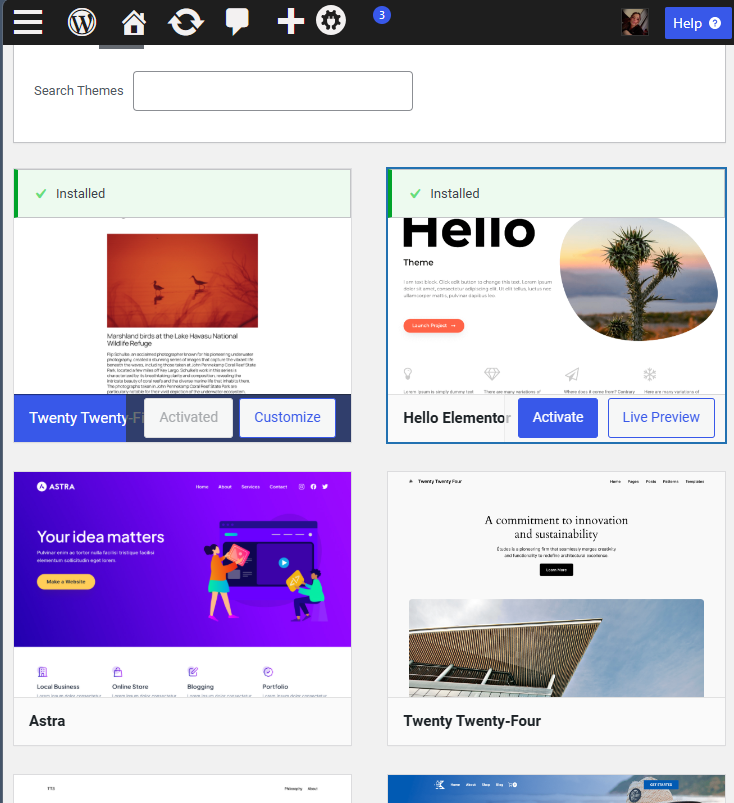
I installed the theme directly through the WordPress dashboard using the wp-admin method. I navigated to Appearance → Themes → Add New, searched for Hello Elementor, and then clicked Install and Activate. Because the theme is available in the WordPress theme directory, the installation was really straightforward and didn’t require any manual uploads or extra steps.
Conclusion
Choosing the right WordPress theme is an important part of building a successful website. By comparing a few different themes and using a decision matrix, I was able to find the one that fits my website’s needs the best. The Hello Elementor theme gives me flexibility, responsive design, and plenty of customization options, which will make it easier to continue building and improving my site as I add more content and grow my brand.